

Nmap stands as a robust computer software tailored for network scanning, conceived by Gordon Lyon. Crafted in a blend of C, C++, Python, and Lua, it made its debut in 1997. This freely available software serves as a safeguard for network security, adaptable across various operating systems such as Windows, Mac, and Linux. Its primary function involves fortifying computers by uncovering hosts and services within a network through the analysis of data packet responses. The tool’s key features include identifying network hosts, scanning open ports, ascertaining application names and versions through interactions with remote network services, profiling the operating systems and hardware attributes of network devices, and facilitating scriptable interactions via the Nmap Scripting Engine (NSE) and Lua programming languages. Nmap, an open-source asset, offers compatibility across a wide spectrum of operating systems, reinforcing its accessibility and utility in the realm of network security.
Installing Nmap on ubuntu:
sudo apt-get update
sudo apt-get install nmap
Verify the installation was successful and determine the current Nmap version.
nmap –version

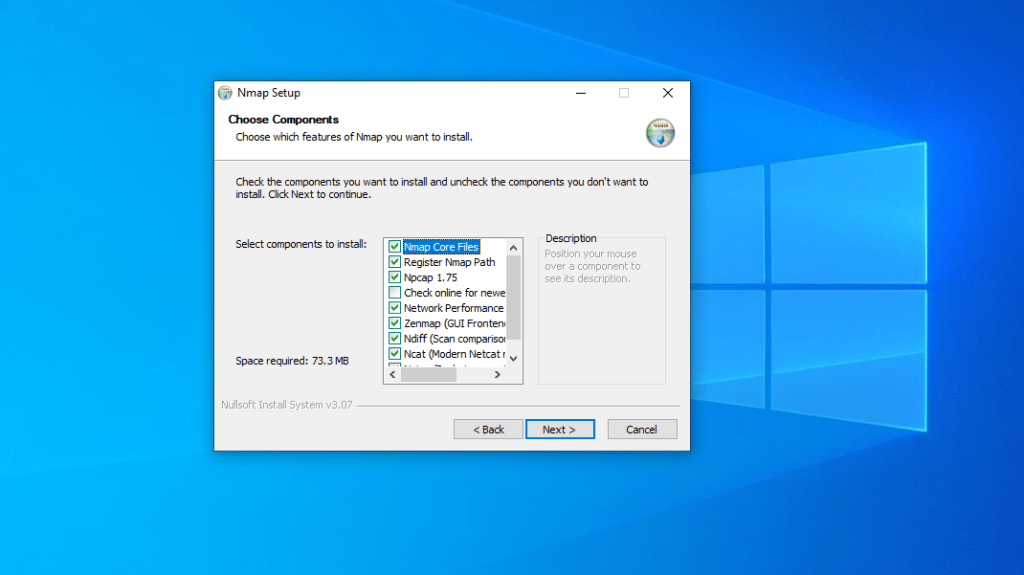
To install on windows go to https://nmap.org/download.html. Then go down to the windows section and click on Latest stable release self-installer: nmap-7.94-setup.exe. I would recommended keeping to the default settings and not making changes. You can use the gui version zemap if this is better for you.






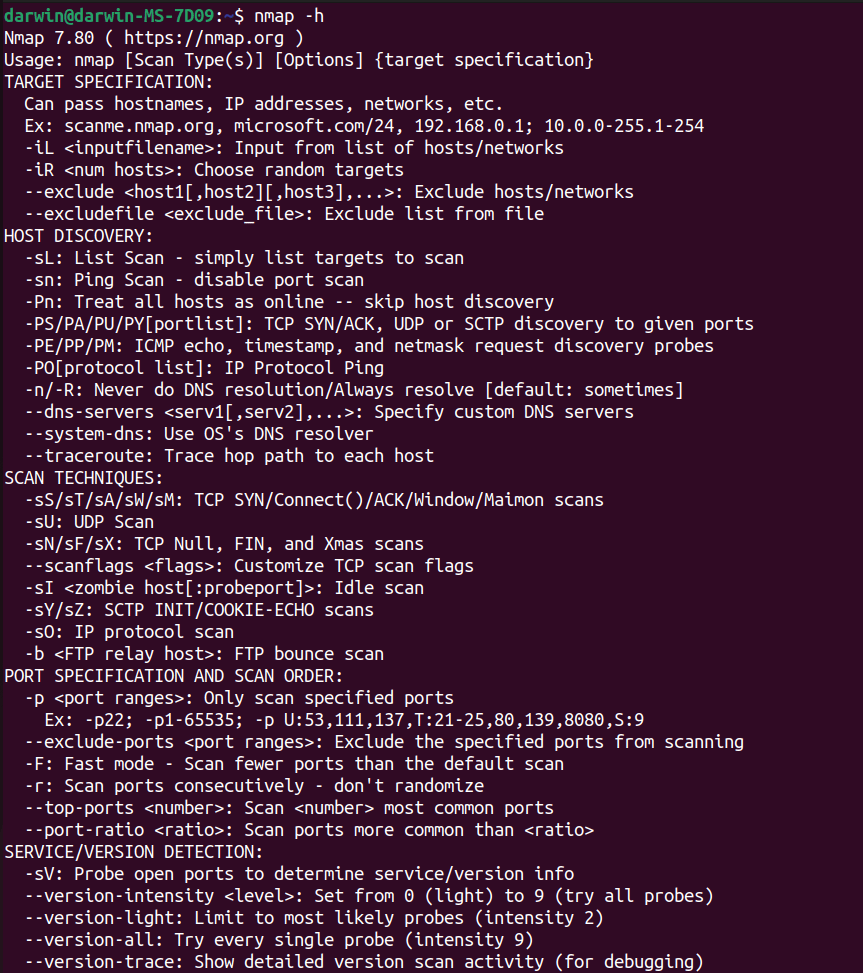
nmap -h
This command will show you the help menu. Going to https://nmap.org/book/man.html will give you more details about the specific tags and what they do.

sudo nmap -sT -p1-100 192.168.0.1/24
This uses tcp connect tag. This uses the 3 way handshake to connect to the other machines on the network. Then we are specifying ports 1 to 100. Last the IP address. You can instead do -F, this will scan 100 ports at a fast rate.
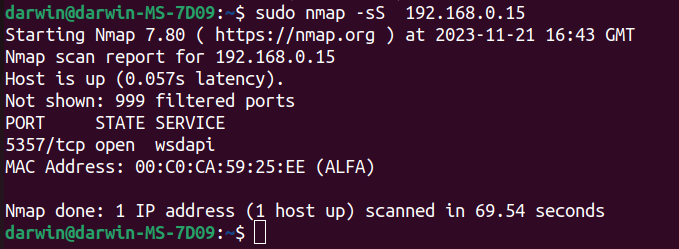
sudo nmap -sS 192.168.0.15
The -sS command is known as stealth command and is useful to try and bypass firewalls and IDS, with routers being better theses days it doesn’t always work. If you don’t specify any ports it will usually run through the first 1000 most popular ones.

sudo nmap -A 192.168.0.15
This uses the -A command which can utilise OS detection, version detection, script scanning, and traceroute. Will try to tell you the operating system, the version windows 10 or 7. Scripts that can detect any vulnerability and traceroute how many hops to the target address.

sudo nmap -sV 192.168.0.15
The -sV command stands for version. This will tell you what version of a service it is running on any of the open ports it finds.

sudo nmap 192.168.0.15 -O –osscan-guess
This command will try and guess the OS more aggressively. It may still not get accurate results.

sudo nmap 192.168.0.15 -sS -oN mytestscan.txt
The -oN command puts the results into a txt file. there are numerous other extensions you can choose from. Just go to the help menu or nmap website.
This is just a basic short guide on some of the nmap commands and what they do. I will cover more on nmap in the near future.




 StealthCyberOps
Leave a comment