

Today I’m going to show you some basic shell scripting with bash. Bash is a popular command-line interpreter that lets you run commands and scripts on Linux, Mac OS, and Windows. Shell scripting is a way of writing programs that use bash as the language. Shell scripts can automate tasks, manipulate files, and interact with other programs. In this post, I’ll cover some of the basics of shell scripting, such as variables, loops, conditionals, and functions. And I’ll also give you some examples of how to use them in practice. Let’s get started!
Variables are a way of storing data in your script. You can assign a value to a variable using the = sign, and then use the variable name with a $ sign to access its value. For example:
name=”Alice”
echo “Hello, $name!”
This will print “Hello, Alice!” to the standard output. You can also use variables to store the output of commands, using the $( ) syntax. For example:
date=$(date)
echo “Today is $date”
This will print something like “Today is Mon Jan 15 14:19:55 UTC 2024” to the standard output.
You can get creative and make any script you like.

This is some commands i put together. Having a script for updating and upgrading can be useful.

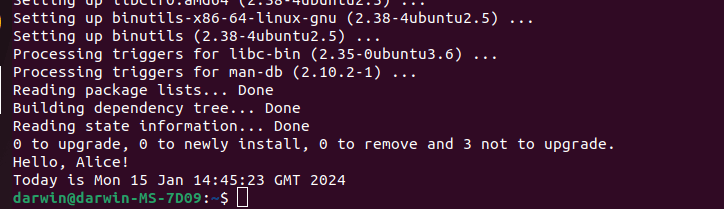
Here is a install tool i made it is very basic.

This is my code for the script.

Here i created basic options for the tool.

This is the tool in action. Through the creation and execution of a bash script we can see how we can simplify task whatever the use case. Remember that the power of scripting is only limited by your imagination.




 StealthCyberOps
Leave a comment